Editing a video by writing a web page: HyperFrames and video production in the age of AI agents
With HyperFrames, a video is no longer an editing-software project but an HTML page that an AI agent writes and the computer turns into an MP4. How it works, what it does well, and where it stops.
Editing a video usually means opening an application, dragging footage onto a timeline, placing titles by hand and exporting. HyperFrames takes another route: the video is a web page. You describe what you want, an AI agent writes the page, and the tool turns it into an MP4 file, frame by frame.
This is not just another gadget. It is a change of method, and it matters to anyone who produces short, regular videos: tutorials, presentations, trailers, social media clips.
What is HyperFrames?
HyperFrames is an open-source tool published by HeyGen, a company specialising in AI-generated video. It was released in spring 2026 under the Apache 2.0 licence: free to use, including commercially, with no account, no API key and no obligation to go through an online service.
Its principle fits in one sentence: HTML is the source of the video. Anything a browser can display (text, images, video, charts, animation) can become a filmed sequence.
| Item | In short |
|---|---|
| Publisher | HeyGen, community project on GitHub |
| Licence | Apache 2.0 (free, commercial use allowed) |
| Requirements | Node.js 22 or newer, FFmpeg |
| Output | MP4, or WebM with a transparent background |
| Maturity | Version 0.x: young, very frequent updates |
How a web page becomes a video
A HyperFrames video is a project folder built around an index.html file called a composition. Every element on screen carries three pieces of information:
- when it starts (
data-start, in seconds); - how long it lasts (
data-duration); - which track it sits on (
data-track-index), like the tracks of an editing application.
Motion (a sliding title, a growing number, a fade) is written with a web animation library, most often GSAP. Lottie, Three.js and CSS animations are also supported.
<h1 id="title" data-start="0" data-duration="4" data-track-index="1">
  Welcome to the music school
</h1>
<audio id="voice" data-start="0" data-track-index="2" src="voice-over.wav"></audio>
The key point is rendering. HyperFrames does not record the page while it plays. It opens an invisible Chrome browser, moves to frame 1, captures it, moves to frame 2, and so on. FFmpeg, the reference video tool, then assembles the frames and the sound.
The result is deterministic. A slow computer takes longer to produce the video, but it never drops a frame. Two renders of the same project produce the same video.
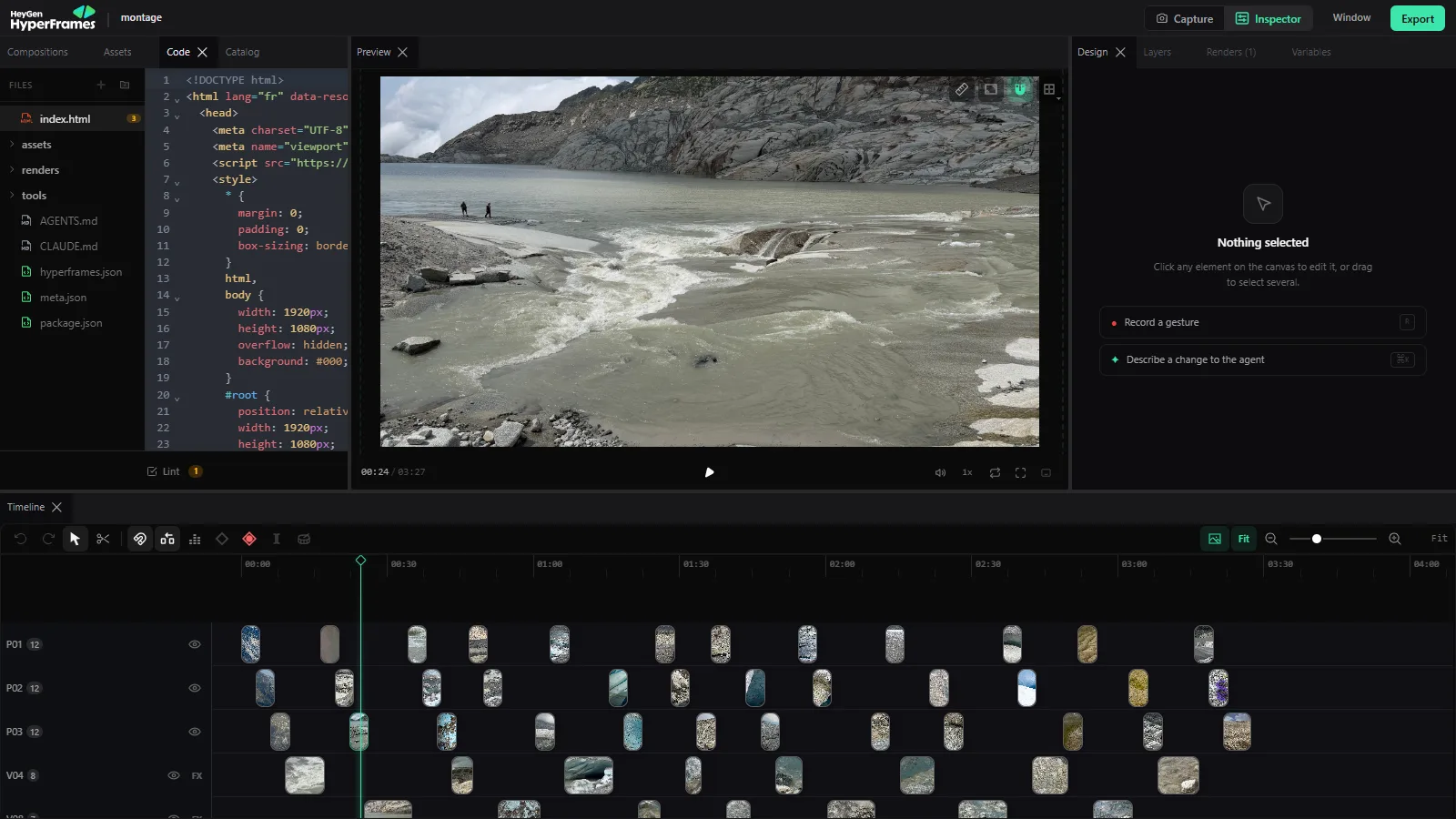
The HyperFrames studio open on a real project: on the left, the composition’s index.html file; in the centre, the video preview at 00:24.
The workflow in five commands
Everything runs from the command line with npx hyperframes:
| Step | Command | What it does |
|---|---|---|
| Create | init my-project | Prepares the folder, copies the media, installs instructions for the AI agent |
| Check | lint | Finds structural errors: overlapping tracks, undeclared animation |
| Inspect | inspect | Walks through the video and reports text spilling out of a box or off screen |
| Preview | preview | Opens a studio in the browser that reloads on every change |
| Produce | render | Builds the final MP4, in draft or high quality |
inspect deserves a closer look. It does what an editor does by eye: making sure no title leaves the frame and no label is cut off. Here it is automatic and time-stamped, and the AI agent can read the report and fix things itself.
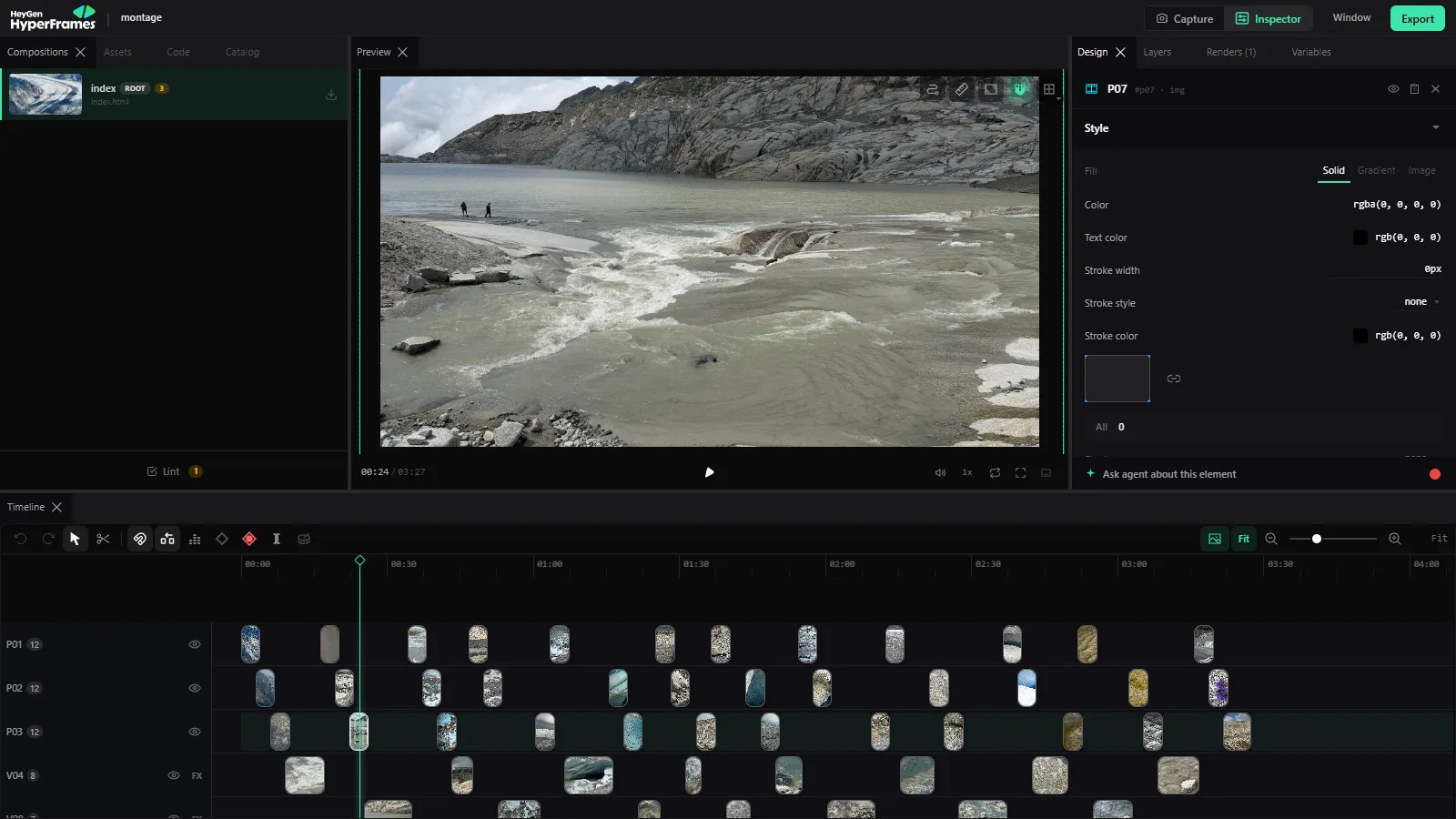
The studio has the landmarks of an editing application: the preview, the settings of the selected element (here photo P07) and, at the bottom, the timeline with one track per row.
Built-in voice-over, captions and background removal
HyperFrames ships three tools that save juggling between applications, and all of them run on your own computer:
- Voice-over (
tts): speech synthesis with the Kokoro model, no subscription. The choice of voices is wide in English but very limited in French. For a natural French voice, a service such as ElevenLabs is still preferable, and its audio file drops straight in. - Captions (
transcribe): transcription with Whisper, word by word and time-stamped. Captions appear exactly when the words are spoken, including in “karaoke” style. - Background removal (
remove-background): removes the background of a video or photo so that a person can float over a backdrop.
On top of that comes a catalogue of ready-made blocks: transitions, title bars, animated charts, maps and social media overlays.
Why it is built for AI agents
An editing application is driven with a mouse. An HTML page is written. And writing HTML is exactly what coding assistants do best.
HyperFrames embraces this: it provides ready-to-install instructions for Claude Code, Codex, Cursor and Gemini CLI. The agent learns the composition rules (tracks, durations, animations, mandatory transitions between scenes) and then chains writing, checking, fixing and rendering on its own.
The division of labour changes:
| The AI agent | You |
|---|---|
| Writes the composition and the animations | Say what the video should tell, and to whom |
| Syncs the text with the voice-over | Provide the brand: colours, fonts, logo |
| Checks overflow and contrast | Watch the preview and ask for changes |
| Produces 16:9, 9:16 or square versions | Approve the final version |
And because the project remains a folder of text files, a change is easy: “hold the title one second longer”, “make the banner blue”. The agent edits two lines and the render runs again.
A real example: three minutes of glacier
To illustrate this article, we used an edit made with HyperFrames from the photos and videos of a glacier hike. No timeline was touched with a mouse. The rules were given to the AI agent in one sentence:
Each photo stays 4 seconds, each video at most 10 seconds starting 2 seconds in, every change is a one-second crossfade, photos and videos alternate, and the film ends with the music.
The agent wrote a small script that prepares the photos and generates the composition. The result:
| Item | Count |
|---|---|
| Duration | 3 min 27 s |
| Photos, each with a gentle camera move | 36 |
| Video clips | 15 |
| Music track, with a final fade to black | 1 |
Portrait photos sit on a blurred background of the same image, so there are no black bars. Changing a rule, say 5 seconds per photo, means editing one line of the script and rendering again.

A frame of the final MP4, taken in the middle of a crossfade: the two views of the glacier overlap for one second.
HyperFrames, Remotion or an editing application?
HyperFrames is not the first to make video with code. Remotion has done so for several years, with React components.
| HyperFrames | Remotion | Editing application | |
|---|---|---|---|
| Authoring | HTML, CSS, JavaScript | React components | Mouse, timeline |
| Build step | None | Yes (bundler) | Not applicable |
| Licence | Apache 2.0, free | Free up to 3 people, paid beyond that for companies | Varies |
| Driven by an AI | Designed for it | Possible | Hard |
| Long footage, fine colour grading | Poor fit | Poor fit | Built for it |
Both code tools rely on the same engine (Chrome and FFmpeg). The difference is simplicity: an HTML file can be read and edited without React tooling. For a small organisation, the licence matters too.
What it does well, and what it does not replace
Where HyperFrames shines:
- series with a fixed style: the modules of a course, a weekly slot, a column;
- explainer videos: animated diagrams, figures, steps, annotated screenshots;
- data-driven videos: a season review, results, a map;
- variants: the same video for YouTube, for vertical Instagram and for a website hero;
- overlays: titles, captions and banners on top of existing footage.
Where it does not replace an editor:
- cutting long filmed footage, where the best takes are chosen by eye;
- fine colour grading and studio sound work;
- documentaries or music videos, where rhythm comes from watching rather than describing.
Points to watch
- A young tool. Version 0.x changes almost daily. That is a sign of vitality, but a project should pin its version to avoid surprises.
- Heavy rendering. Each render starts one or more Chrome browsers. A few minutes of high-quality video keeps a recent computer busy for a while.
- Fonts to supply. A brand font that is not built in has to be added to the project, otherwise the tool substitutes it.
- Human review is still essential. Automatic checks catch overflow and contrast. They do not tell you whether the video is clear, accurate and pleasant to watch.
Our take
For the videos of our Claude Code course, the scripts are already written sequence by sequence, with the voice-over on one side and what appears on screen on the other. That is exactly the material HyperFrames expects. A training video then becomes a file you correct like a text, instead of an editing project you reopen for every typo.
For an association or a small business, the benefit is similar: a show trailer, a presentation video or a season review, produced from existing photos and texts, delivered in several formats and changed with one sentence. Editing is not dead, but many everyday videos can now be written.
Sources: HyperFrames GitHub repository, official documentation, npm package.